NETLAB+ enables Cisco Networking Academies to host real Cisco lab equipment. Lab devices can be scheduled, automated, and accessed remotely, allowing Academies to maximize their investment in equipment and software. NETLAB+ provides students with a high fidelity training experience through remote interaction with real routers, switches, firewalls, PCs and servers - all running real operating systems and software.
For installation details specific to NETLAB+ VE, please refer to the NETLAB+ VE Real Equipment Pod Installation Guide

Control devices provide internal connectivity, console access, and managed power to support content using real lab devices.



Real lab devices are used for course work that requires access to routers, switches and firewalls.



The following table describes the core rack components that are required for any NETLAB+ system. The numbers in the first column refer to the red circled numbers on the diagram above.
| # | Component | Description | Learn More |
|---|---|---|---|
| 1 | NETLAB+ Server | NETLAB+® is a server appliance with all software pre-installed. | NETLAB+ Overview |
| 2 | VMware vCenter | VMware vCenter enables you to manage the resources of multiple ESXi hosts and allows you to monitor and manage your physical and virtual infrastructure. NETLAB+ integrates with VMware vCenter to assist the administrator with installing, replicating and configuring virtual machine pods. | vCenter Requirements |
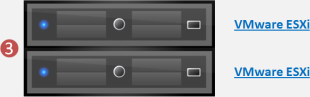
| 3 | VMware ESXi | Physical VMware ESXi servers host the virtual machines in your pods. Virtualization using ESXi is performed on separate physical servers, not included with NETLAB+. You can interface with multiple ESXi servers if necessary. | Recommended Hardware for ESXi |
The follow table describes the hardware components required to support Cisco Networking Academy pods.
| # | Component | Description | Learn More |
|---|---|---|---|
| 4 | Access Servers | Access servers provide console connections to lab equipment. Using this approach, users can access lab gear even when no configurations have been loaded in the lab devices. NETLAB+ proxies all console connections through the access server. | Supported Access Server Models |
| 5 | Control Switches | NETLAB+ uses control switches to provide connectivity between the NETLAB+ server, access servers, remote PCs, and switched outlet devices. Control switches are not accessed by lab users. | Supported Control Switch Models |
| 6 | Switched Outlets | Switched outlets provide managed electrical power, allowing NETLAB+ and users to turn lab equipment on and off. | Suppported Switched Outlet Devices |
| 7 | Lab Routers | Lab routers are required for course work that requires access to real equipment. The number of routers and router types required is based on pod type and course work. | Supported Lab Routers |
| 8 | Lab Switches | Lab switches are required for course work that requires access to real equipment. The number of switches and switch types required is based on pod type and course work. | Supported Lab Switches |
| 9 | Lab Security Devices | Lab security devices are required for certain course work that requires firewall configuration. The number of lab security devices required is based on pod type and course work. | Supported Lab Security Devices |
Lab devices used for actual course work include routers, switches, and firewalls. Please review the NETLAB+ supported topologies and supported lab devices.
Once you have determined what lab devices are needed, you can calculate the number of control devices required to connect the lab devices to NETLAB+ and virtual machine infrastructure.
Most NETLAB+ lab topologies for the Cisco Networking Academy now support remotely accessible PCs, which are an integral part of the lab exercises. Remote PCs are implemented by integrating with 3rd party virtualization products. The NETLAB+ documentation library includes several guides with extensive detail on the implementation of virtualization with your NETLAB+ system. Please refer to the pod-specific pages, videos, and documentation guides to determine the remote PC options supported by each topology.
Learn more about Remote PC Support >