VMware vs Proxmox VE
A side-by-side comparison of VMware ESXi and Proxmox VE: licensing, containers, clustering, storage, and backup.
Plus the training path for organizations replacing the vSphere ICM and OSS courses.
The VMware landscape has changed
Broadcom acquired VMware in 2023 and ended the VMware IT Academy and Academic Software License programs. Organizations that taught vSphere ICM and OSS lost the licensed environment those courses ran on. Licensing changes have also pushed many IT teams to re-evaluate what runs their virtual infrastructure.
Proxmox Virtual Environment (VE) is an open-source alternative: a Type 1 hypervisor that runs KVM virtual machines and LXC containers, with clustering, high availability, and its own backup server built in. This page compares the two platforms and shows the training path for moving between them.
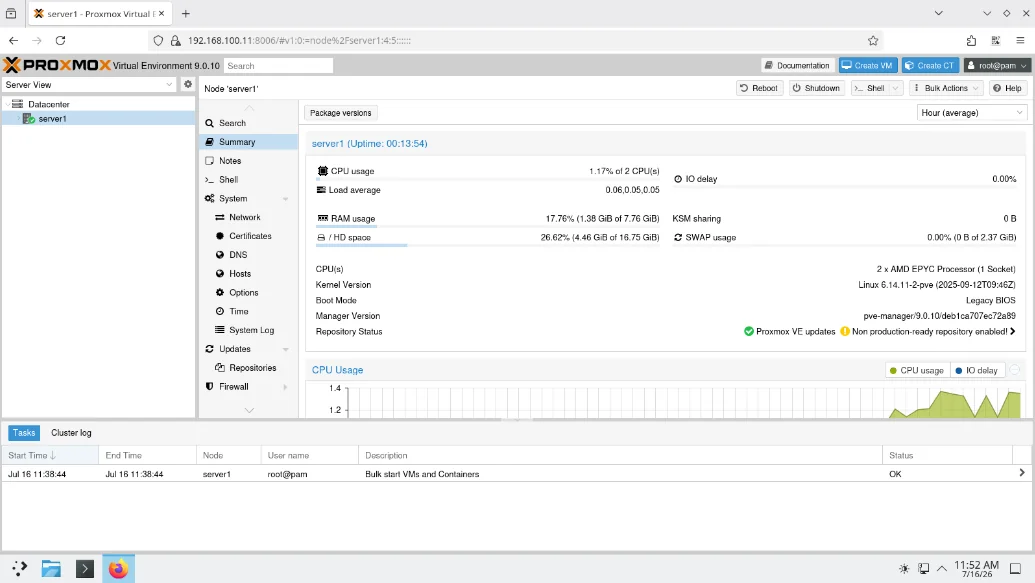
VMware ESXi and Proxmox VE, side by side
| Feature | VMware ESXi / vSphere | Proxmox VE |
|---|---|---|
| Hypervisor type | Type 1 (bare metal) | Type 1 (bare metal, KVM-based) |
| License | Commercial subscription licensing | Open source (GNU AGPL v3) |
| Cost | Per-CPU or subscription fees | Free to install and run; optional support subscriptions |
| Virtual machines | Full VM support | Full VM support (KVM) |
| Containers | Requires VMware Tanzu (separate product) | Native LXC containers |
| Web management UI | vSphere Client (requires vCenter) | Built-in web interface, no extra server |
| Clustering | Requires vCenter (additional cost) | Built in, no additional cost |
| High availability | vSphere HA (requires vCenter) | Built in |
| Live migration | vMotion | Online migration |
| Snapshots | Yes | Yes, VM and container |
| Storage backends | VMFS, NFS, vSAN | ZFS, Ceph, LVM, NFS, GlusterFS, and more |
| Backup | Third-party tools (Veeam and others) | Proxmox Backup Server (free, integrated) |
| API and automation | REST API, PowerCLI | REST API, CLI tools, Ansible, Terraform |
| Lab-based training | VMware IT Academy discontinued | NDG courses and sandbox |
Evaluating Proxmox VE for a team? Request a price quote →
Replace vSphere ICM and OSS with Proxmox VE courses
NDG built its Proxmox VE courses as replacements for the discontinued VMware IT Academy curriculum. Each course pairs a coursebook with hands-on labs in live Proxmox VE environments, in the browser.
VMware vSphere ICM → Proxmox VE 9: Setup and Management
The same ground ICM covered, on Proxmox: installation, the web UI, KVM virtual machines and LXC containers, storage, virtual networking, clustering, and high availability. 15 hours, 16 labs, 9 graded assessments.
VMware vSphere OSS → Proxmox VE 8: Advanced Administration and Optimization
Production administration beyond setup: API automation, advanced networking, Ceph distributed storage, monitoring, and encryption. Opens with three labs that import virtual machines from VMware ESXi, Microsoft Hyper-V, and VirtualBox. 18 hours.
Rehearsing a move off VMware? See the migration labs on the Proxmox hub →
Common questions
Is Proxmox VE a good replacement for VMware ESXi?
For many workloads, yes. Proxmox VE is an open-source Type 1 hypervisor with clustering, high availability, live migration, software-defined storage, and a built-in web interface. NDG's Proxmox VE labs let you test it against your own requirements before you commit.
What happened to VMware IT Academy?
Broadcom ended the VMware IT Academy and Academic Software License programs after acquiring VMware. Academic programs lost the licensed environment behind the vSphere ICM and OSS courses. NDG's Proxmox VE courses were built as replacements for that curriculum.
What replaces the vSphere ICM and OSS courses?
Proxmox VE 9: Setup and Management replaces vSphere ICM, and Proxmox VE 8: Advanced Administration and Optimization replaces vSphere OSS. Both run in the browser with labs in live Proxmox VE environments and graded assessments.
Is Proxmox VE free to use?
Yes. Proxmox VE is open source under the GNU AGPL v3 and free to install and run. Proxmox Server Solutions sells optional support subscriptions, but the software itself has no license fees.
Can I migrate VMware virtual machines to Proxmox VE?
Yes. Proxmox VE imports VMware disk images and ships tools for moving existing virtual machines. Proxmox VE 8: Advanced Administration and Optimization opens with an import lab from VMware ESXi, so you can rehearse the move before touching production systems.