Digital Evidence: Collection, Acquisition & Preservation
From scene arrival to laboratory intake. Seize, image, and preserve digital evidence in a working forensic lab.
The next course after Digital Forensics: From Evidence to Courtroom.
Seizure, imaging, and custody, practiced in a working lab
Digital Evidence: Collection, Acquisition & Preservation builds working proficiency in the procedures that carry digital evidence from a scene to the laboratory: legal seizure authority, write-blocked imaging, hash verification, packaging, transport, and chain-of-custody records. Chapter case studies come from documented evidence-handling failures. It is the second course in NDG's digital forensics curriculum.
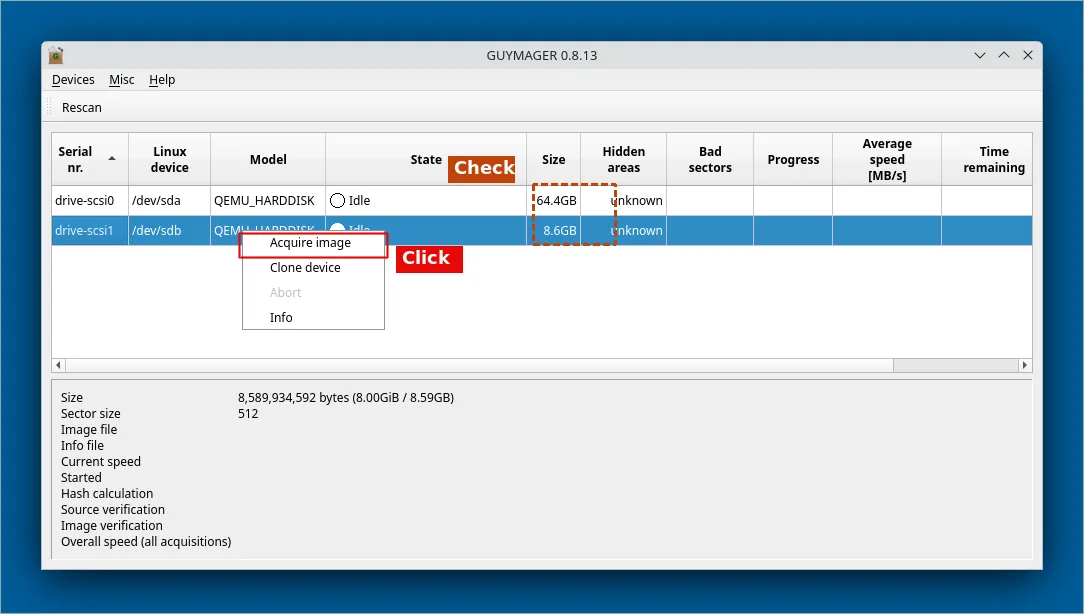
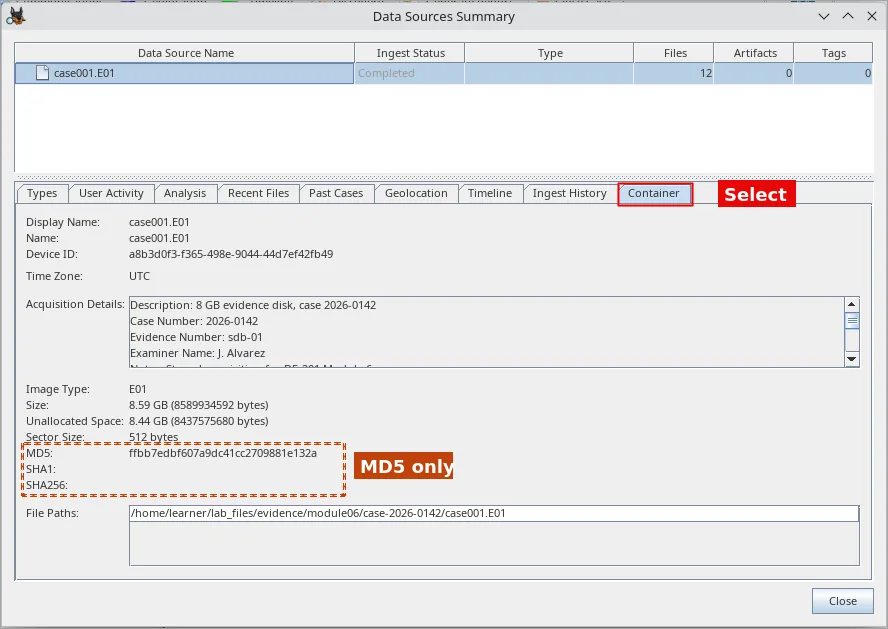
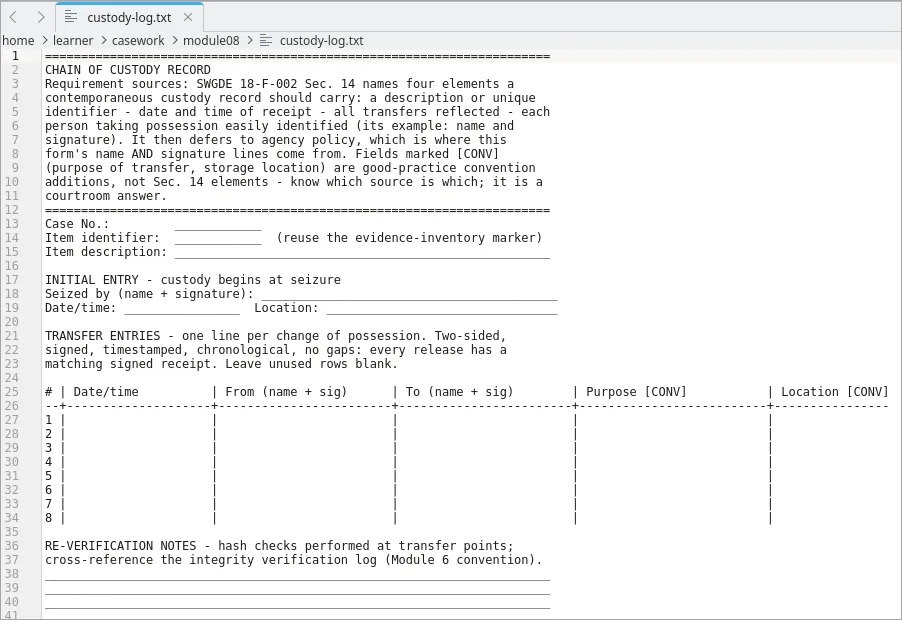
Built for the people who seize and preserve digital evidence
Digital evidence technicians
Technicians building working proficiency in seizure, acquisition, and preservation.
Investigators and detectives
High-tech crime, computer crime, and cyber crime investigators who handle devices in casework.
First responders
Officers who make the first-minutes decisions at scenes involving digital evidence.
Evidence custodians
Forensic evidence custodians and chain-of-custody coordinators who receive, store, and track evidence.
Builds on Digital Forensics: From Evidence to Courtroom (or equivalent foundational knowledge). Linux commands are taught step by step in the guided labs.
From scene arrival to laboratory intake
You work as the evidence technician on two running cases, a warrant search and a consent seizure, and account for every item from the moment it is found.
- Identify and triage storage media at a scene, including hidden and embedded storage
- Apply warrant scope, consent, and exigent circumstances to seizure decisions
- Acquire forensic images behind a validated write block
- Verify integrity with cryptographic hashes at every custody transfer
- Package, label, transport, and store evidence following SWGDE best practices
- Decide between live and powered-off acquisition, and capture volatile data
- Make the handling decisions specific to mobile, IoT, video, and cloud evidence
Tools you'll use
Each learner gets a two-machine pod in the browser: a Debian forensic examiner workstation and a separate Linux suspect machine for live acquisition.
- Guymager, dc3dd, dcfldd, and ewf-tools: forensic imaging
- hashdeep and sha256sum: hash manifests and verification
- AVML: memory capture from a running system
- Autopsy: image intake and hash checks
- Scene, custody, packaging, and intake forms: the documentation that travels with the evidence
All evidence is synthetic. Labs run fully sandboxed, with no real case data.
What's inside: 12 modules, 24 hours
Each module ends in a quiz. There are 20 labs: 10 guided, with step-by-step instructions and hints, and 10 applied, which give the same scenarios as tasks and grade at the end. Module 12 closes with a challenge lab, The Lakeview Seizure: a full seizure-to-intake case, graded automatically on your lab machine.
Built on the standards the field uses
Procedures follow the SWGDE best-practice series, with ISO/IEC 27037, NIST SP 800-86, and RFC 3227 as foundational references. The evidence-handling competencies align with the domains of major digital forensics certifications.
A certificate-of-completion course. It is not a certification exam or a guarantee of certification.
Common questions
Do I need to take Digital Forensics: From Evidence to Courtroom first?
It is the recommended prerequisite. This course takes that course's awareness-level coverage of chain of custody, legal frameworks, first-responder protocols, and warrants to working proficiency. Learners with equivalent foundational knowledge can start here.
Do I need Linux experience?
Basic comfort in a terminal helps. The guided labs teach each command step by step, and the forensic workstation runs in your browser with nothing to install.
How do the guided, applied, and challenge labs differ?
There are 20 labs, 10 guided and 10 applied, paired on the same scenarios, plus one challenge lab. Guided labs give step-by-step instructions and progressive hints. Applied labs give high-level tasks with no hints and are graded on completion. The challenge lab, The Lakeview Seizure, is a full seizure-to-intake case graded automatically on your lab machine.
Which certifications does DF-201 align with?
Its evidence-handling competencies align with IACIS CFCE, ISFCE CCE, GIAC GCFE, and EC-Council CHFI. Procedures follow the SWGDE best-practice series, ISO/IEC 27037, NIST SP 800-86, and RFC 3227. It is a certificate-of-completion course, not exam preparation.
Can I bring this course to my agency, department, or team?
Yes. You can teach it in a class or buy access for a team. Use the 'Teach this in a class' option to set up a class, or request a price quote for five or more seats.
Delivered on NDG Online
NDG Online runs the lab environment right in your browser, with no installs and no hardware. Network Development Group has built lab-based IT training for educational institutions, government, and industry since 1999. The course uses NDG's "practice as you read" approach: coursebook, labs, and assessments together.
Running your own NETLAB+ system? The guided and applied labs are also available as NETLAB+ supported content, delivered on the NDG Digital Evidence v1.0 pod.
- Coursebook with a quiz in every module
- Two lab versions: guided (with hints) and applied (tasks only)
- A challenge lab graded on your lab machine
- Practice-as-you-read approach