This page describes the NETLAB+ system requirements to support the VMware IT Academy Program. The NETLAB+ pod design for the VMware IT Academy vSphere Install, Configure, Manage Course (ICM), uses 100% virtualized lab components (i.e. ESXi-in-ESXi) to achieve a high pod to physical host ratio, at a significantly lower cost point relative to traditional delivery of vSphere ICM.
Using VMware virtualization and the sharing and scheduling capabilities of NETLAB+, each student (or team of students) has access to their own pod, which they may maintain exclusive use of throughout the course.
Please review the NETLAB+ System Requirements and specific requirements for other courses and lab content.
The following interactive diagram and table lists required hardware components that are required to support the VMware IT Academy Program. See the Scaling section of this page to determine how many ESXi servers are required.

| # | Component | Description | Learn More |
|---|---|---|---|
| 1 | NETLAB+ Server | NETLAB+® is a server appliance with all software pre-installed. | NETLAB+ Overview |
| 2 | VMware vCenter | VMware vCenter enables you to manage the resources of multiple ESXi hosts and allows you to monitor and manage your physical and virtual infrastructure. NETLAB+ integrates with VMware vCenter to assist the administrator with installing, replicating and configuring virtual machine pods. | vCenter Requirements |
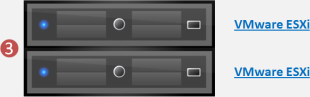
| 3 | VMware ESXi | Physical VMware ESXi servers host the virtual machines in your pods. Virtualization using ESXi is performed on separate physical servers, not included with NETLAB+. You can interface with multiple ESXi servers if necessary. | Recommended Hardware for ESXi |
These components are used for NETLAB+ management of VMs. Specifications are provided on the Remote PC Support page.
The number of active pods that can be used simultaneously depends on the NETLAB+ product edition and the number of VMware ESXi host servers meeting the current NDG virtual machine host server specifications.
Please review the minimum server configurations recommended for various NDG supported courseware.