Fix "CSRF Failed" errors
Updated 2026-10-10
While enrolling, verifying an email address, or doing other tasks in NDG Online, you may see CSRF Failed: CSRF token missing or incorrect.
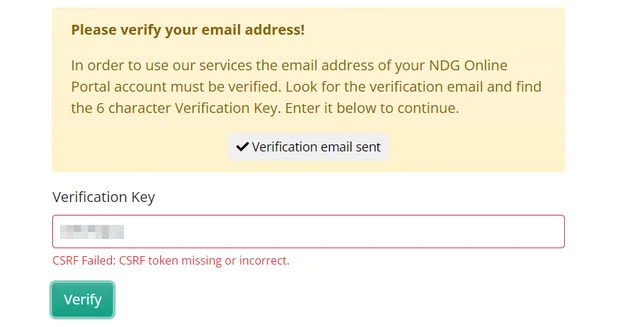
The CSRF token is a security check that stops cross-site request forgery: another site sending requests to NDG Online as you, which could change your account or expose your sign-in.
The error almost always comes from something on your end:
- The browser: an unsupported browser, a stale cache, blocked cookies, or NDG Online open in several tabs at once
- The network: a firewall, antivirus software, or another tool that alters web traffic
- The input: a verification key typed in the wrong case, with extra characters, or other steps not followed exactly
Fix it
- Repeat the steps exactly as written.
- Check that your browser meets the NDG Online system requirements.
- Close other NDG Online tabs.
- Clear your browser's cache and cookies.
- Try a different supported browser.
If the error continues, contact support and include the browsers and versions you tried, the exact steps before the error, the error message, and what you have tried. Screenshots help.
Still need help?
In NDG Online, select Help to ask the Help assistant or open a ticket. Taking labs in a class? Ask your instructor first.