Set up Cisco CyberOps Associate labs for your class
NDG labs in a NetAcad class are hidden from learners until the instructor makes them visible. Instructors always open the labs at no charge. Learners buy access, or have it bought for them.
Once the labs are visible, learners follow Enroll in Cisco CyberOps Associate labs.
1. Make the NDG Online Lab Service visible
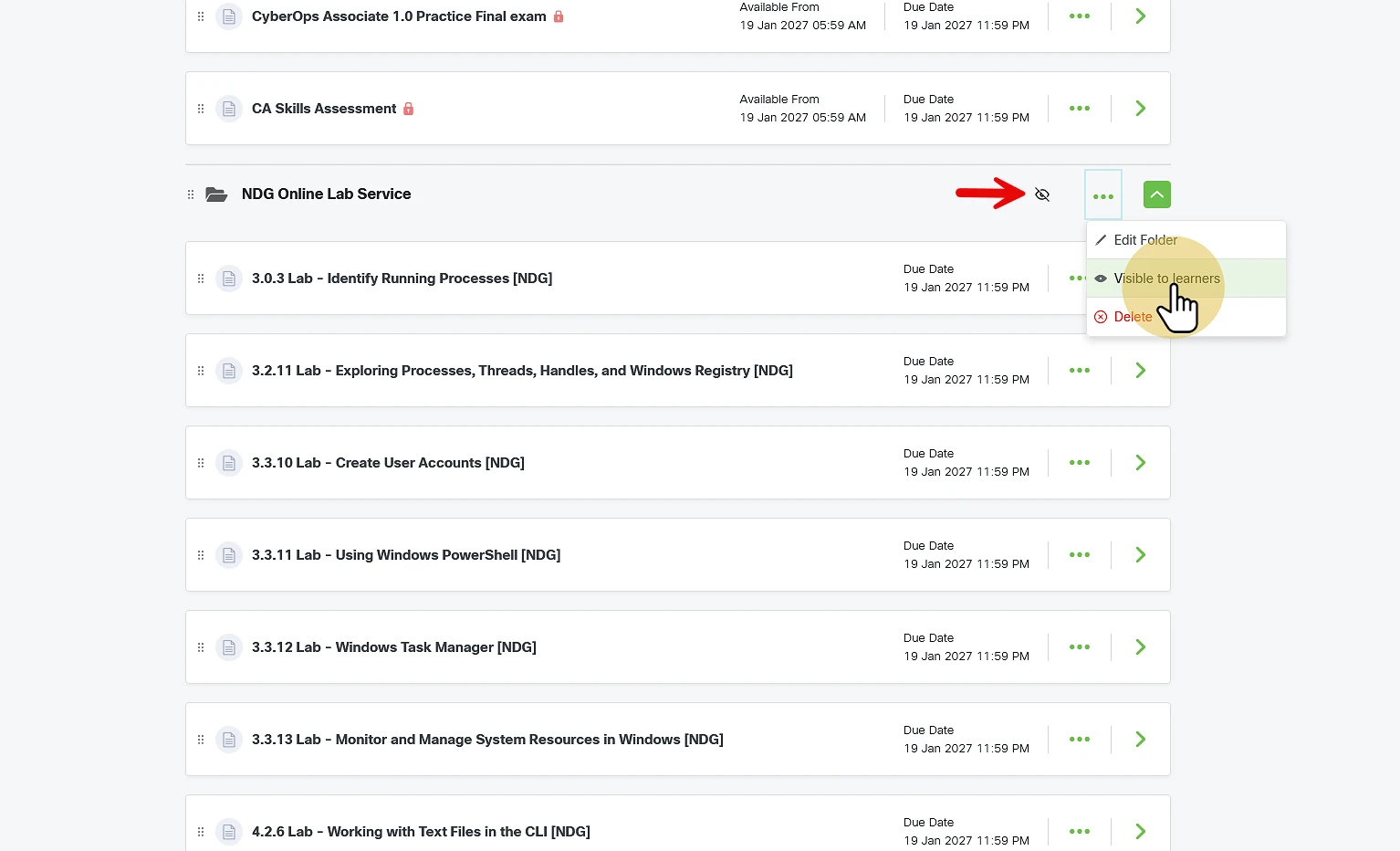
In your class, scroll to the NDG Online Lab Service section. An icon shows it is hidden from learners.
Open the section's menu (three dots) and select Visible to learners.
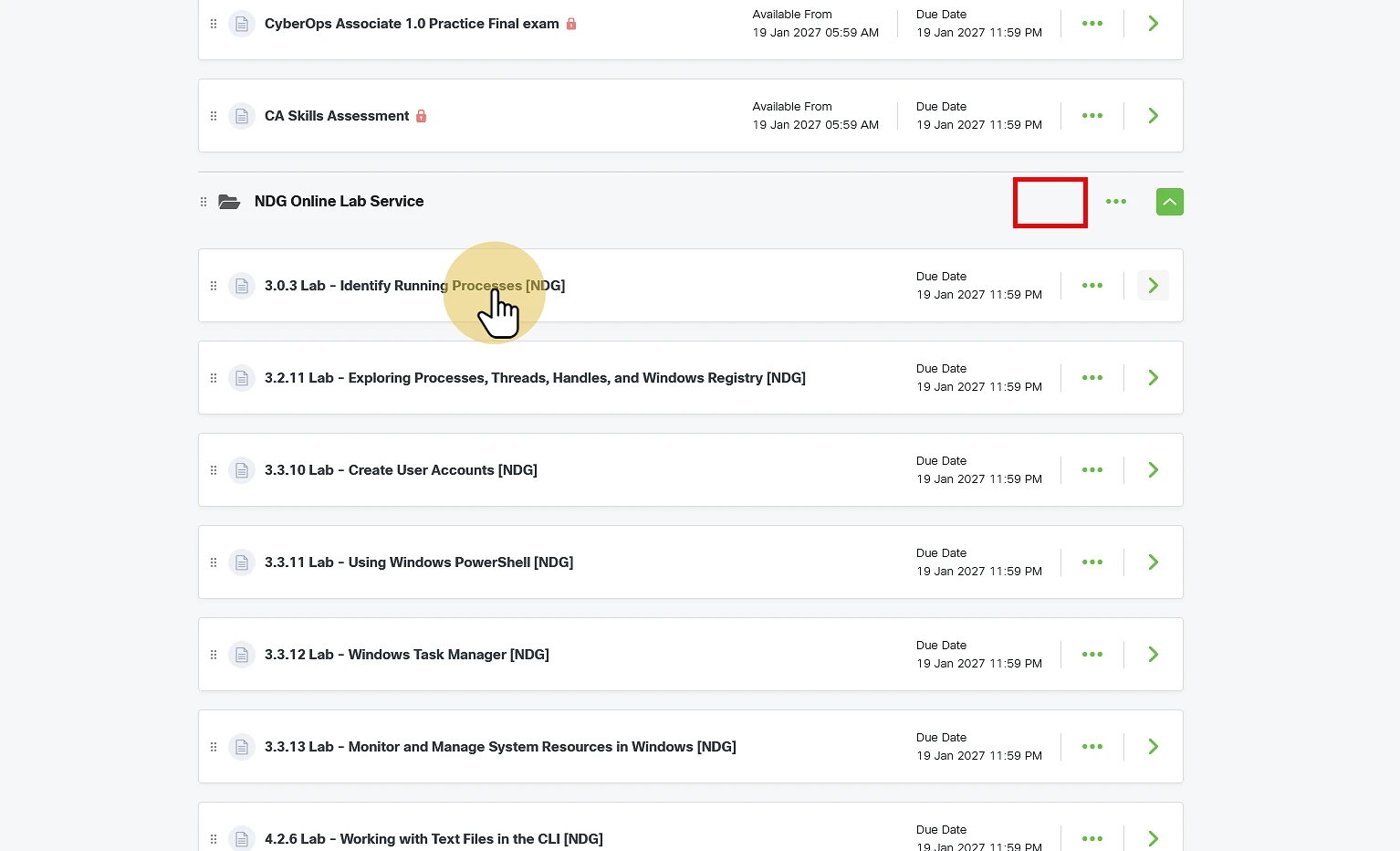
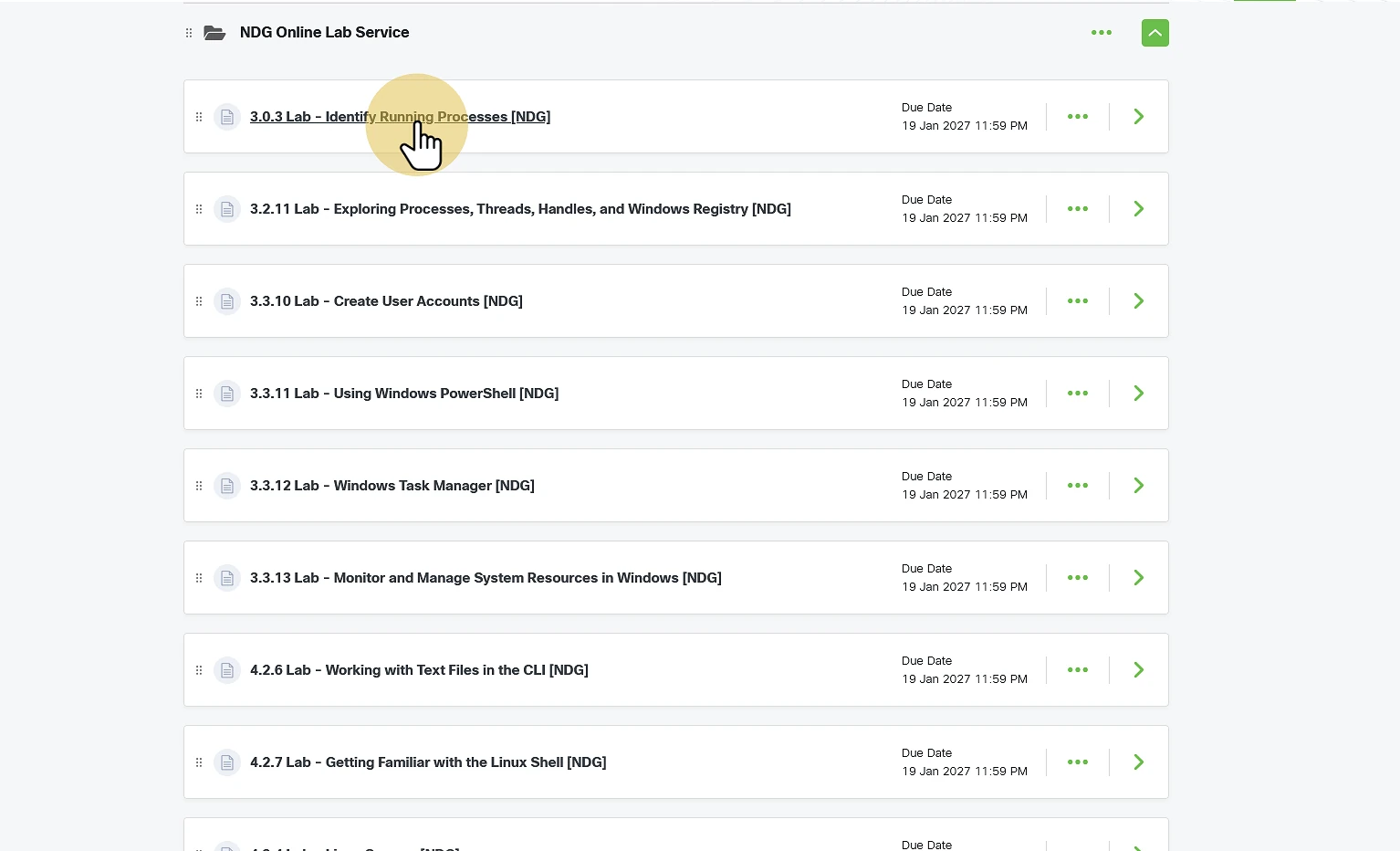
The hidden icon disappears. Open one of the labs.
2. Link your accounts
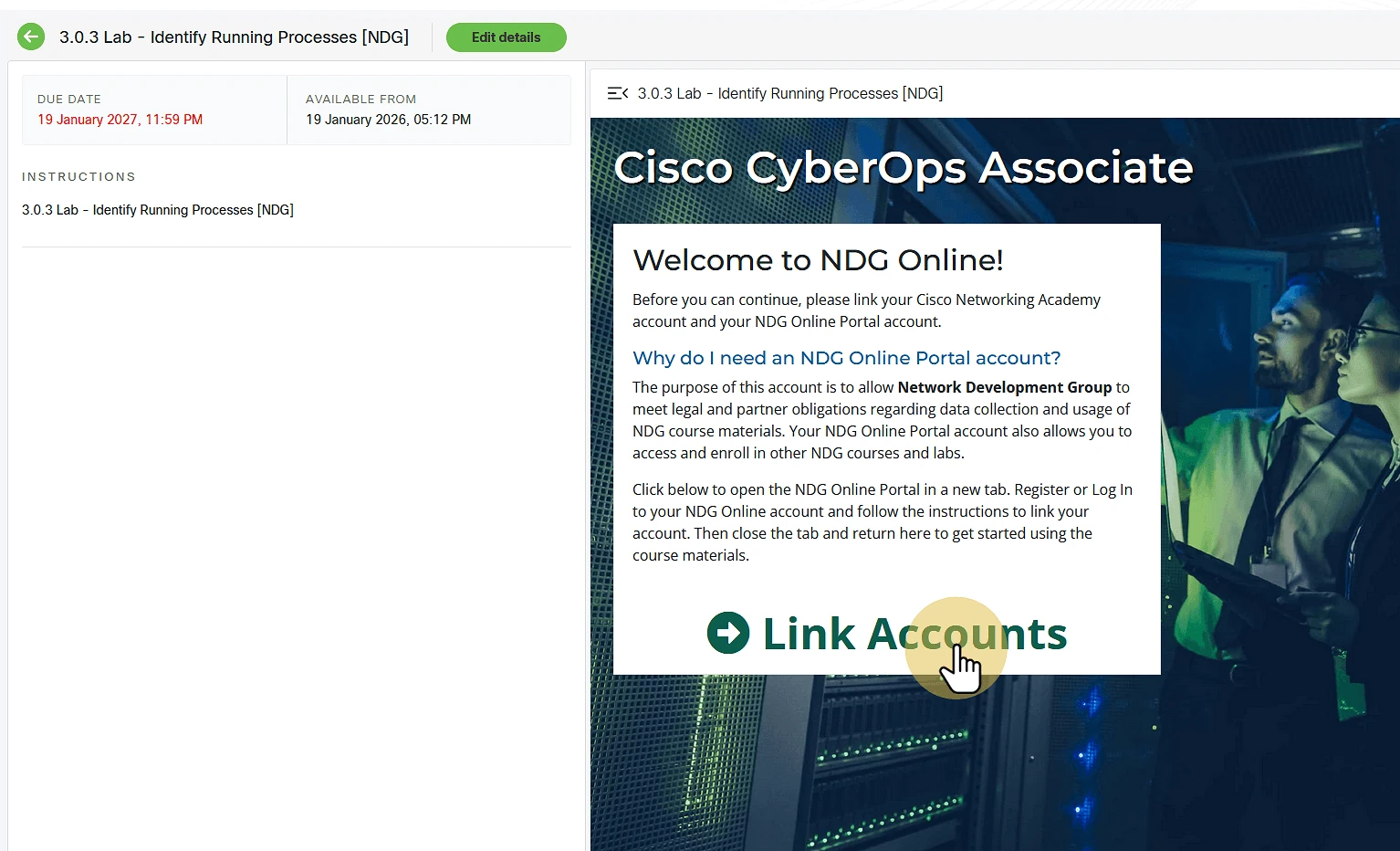
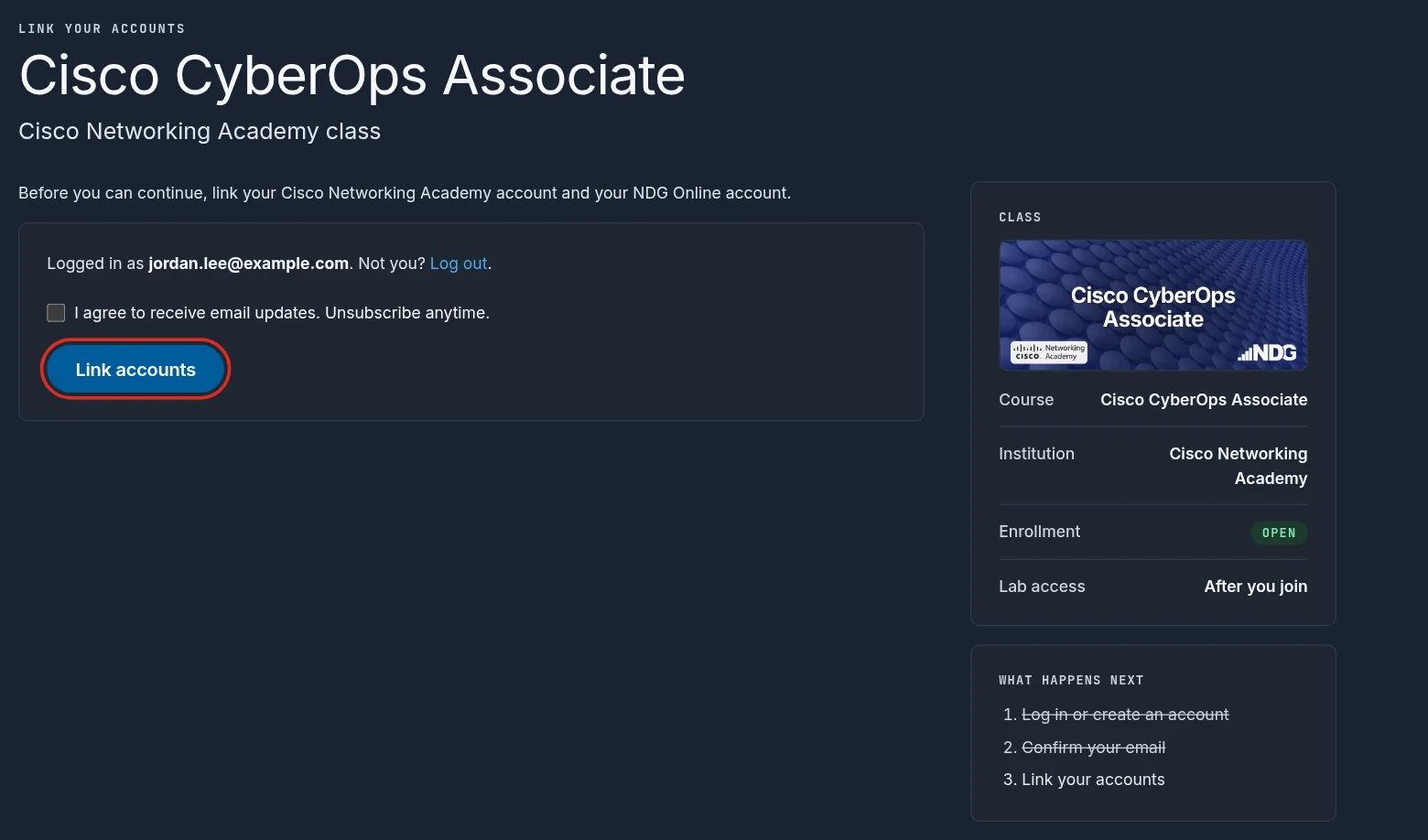
The first time you open NDG Online from NetAcad, you are asked to link your accounts.
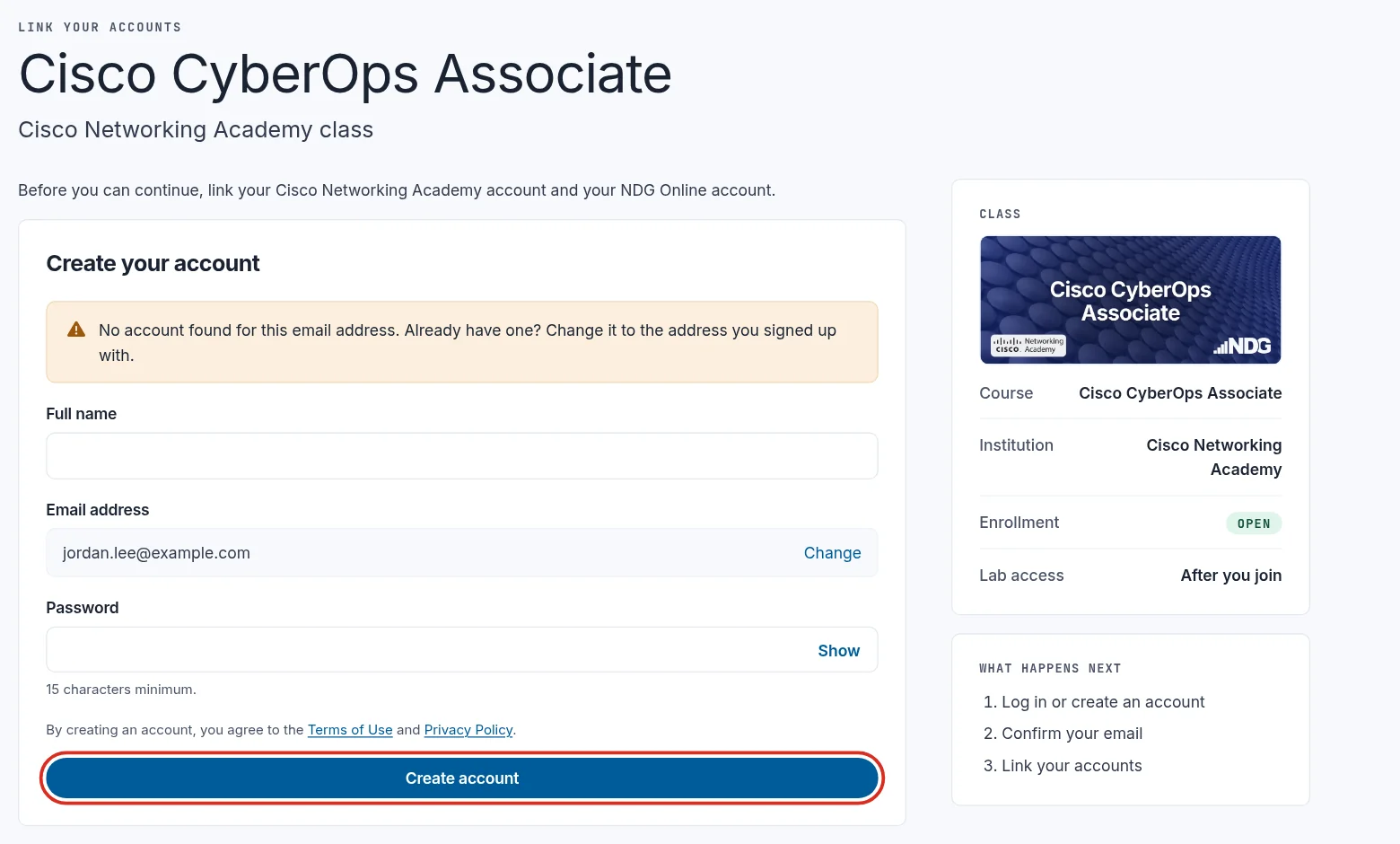
Enter your email address and select Continue. If you already have an NDG Online account, enter its password and select Log in. If you don't, create one: enter your full name and a password of at least 15 characters, and select Create account.
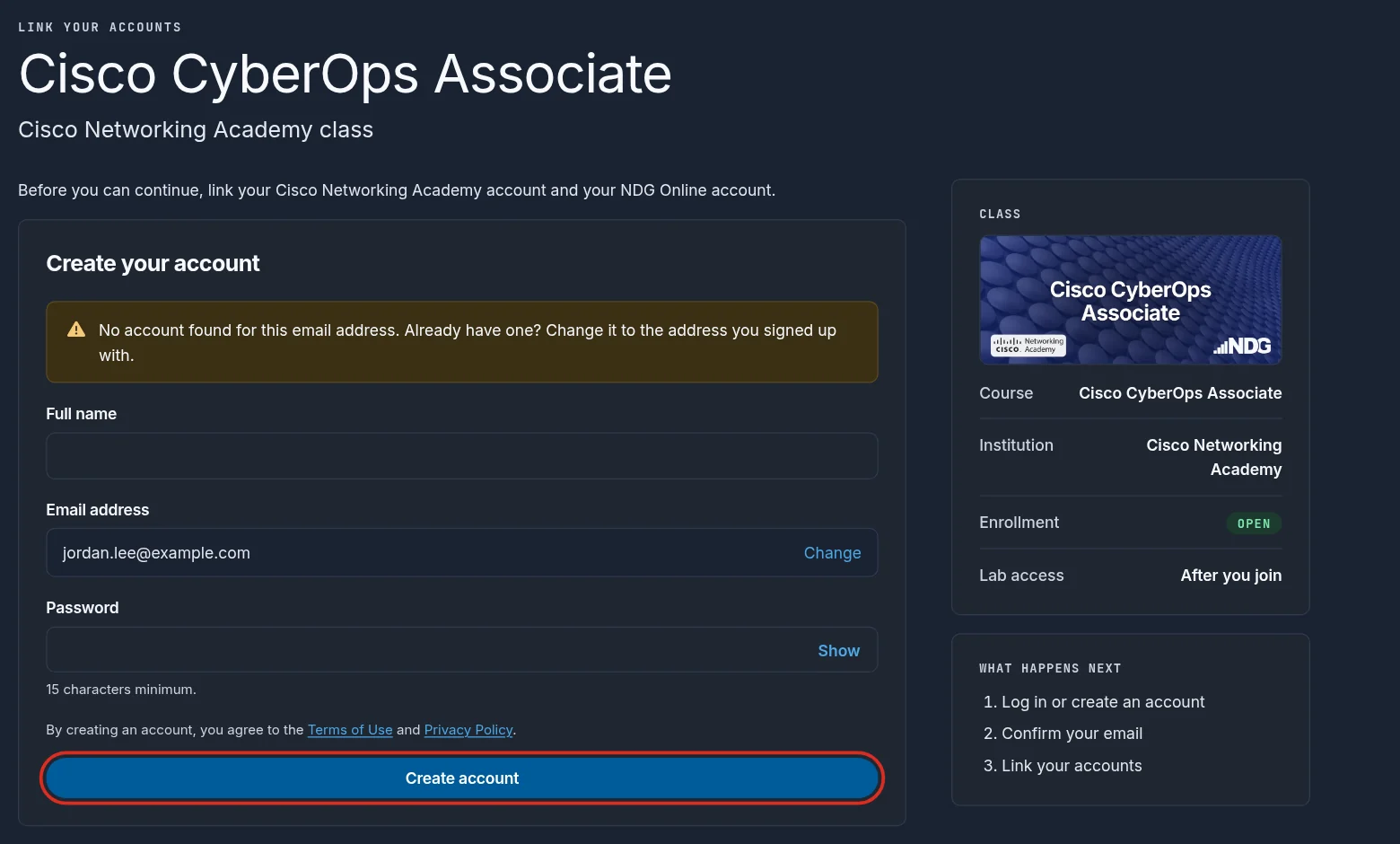
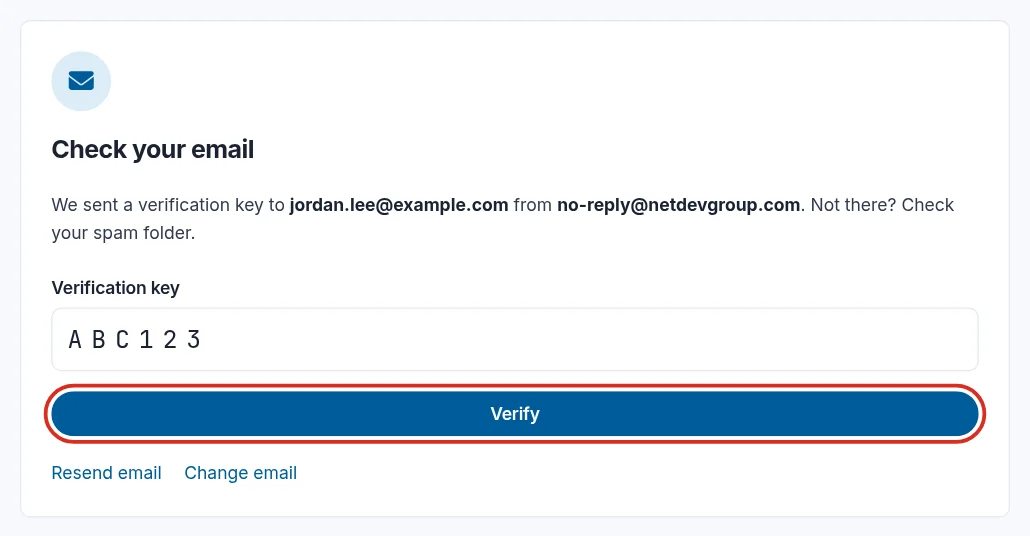
Next, verify your email address. NDG Online emails a verification key to the address you entered. You can't continue until you verify it.

If the email doesn't arrive, check your spam or junk folder and that you typed the address correctly. See Verify and manage email addresses.
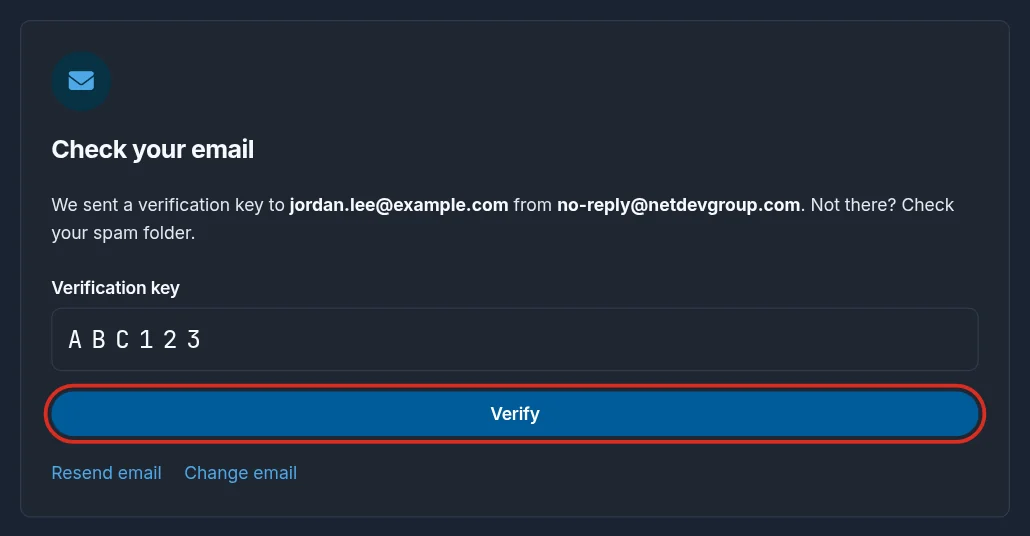
On Check your email, enter the verification key and select Verify. Mistyped your address? Select Change email to replace it.
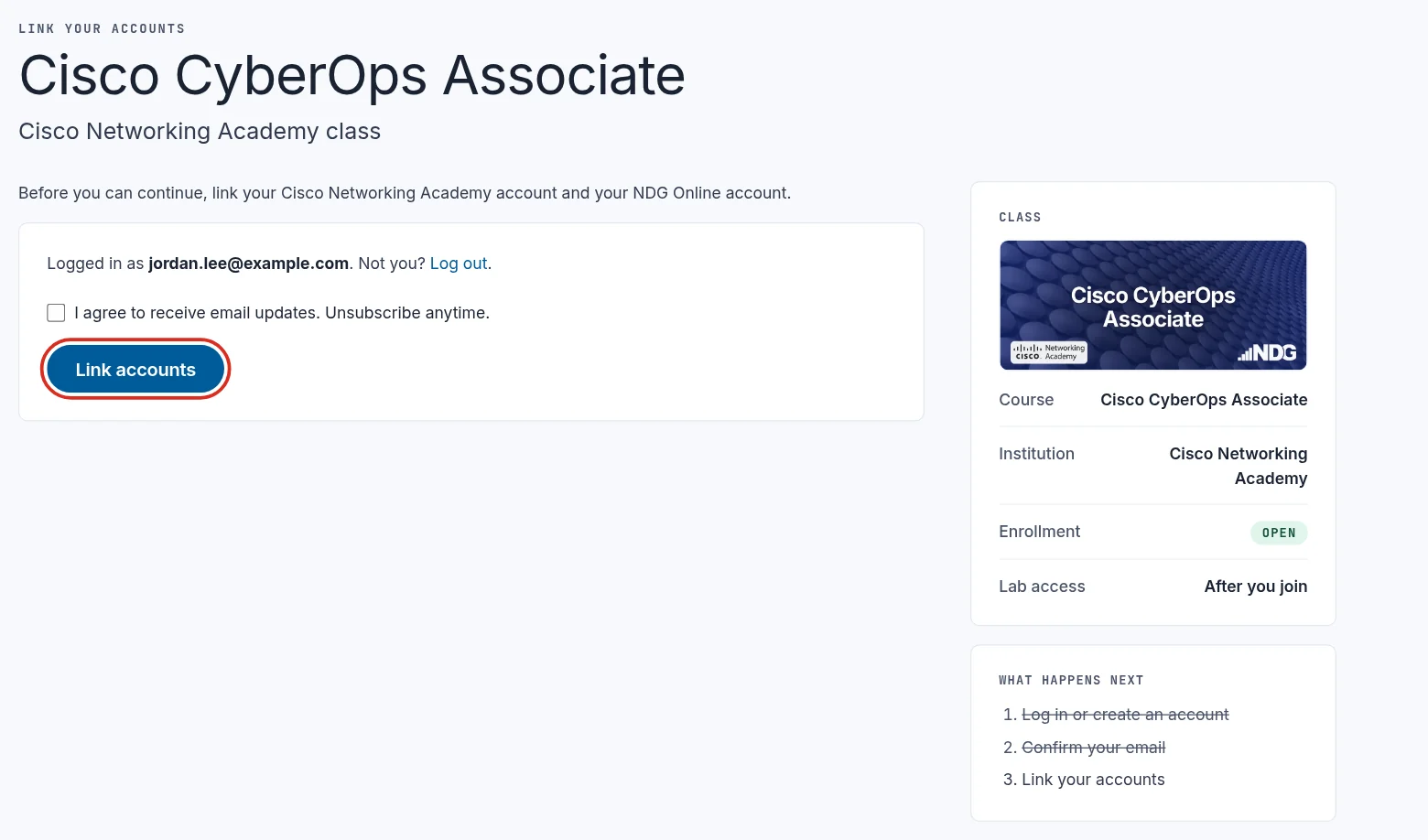
Select Link accounts. The checkbox above it is optional: tick it to get email updates from NDG. You can unsubscribe at any time.
3. Open the labs
Your accounts are linked, and the labs open from the class.
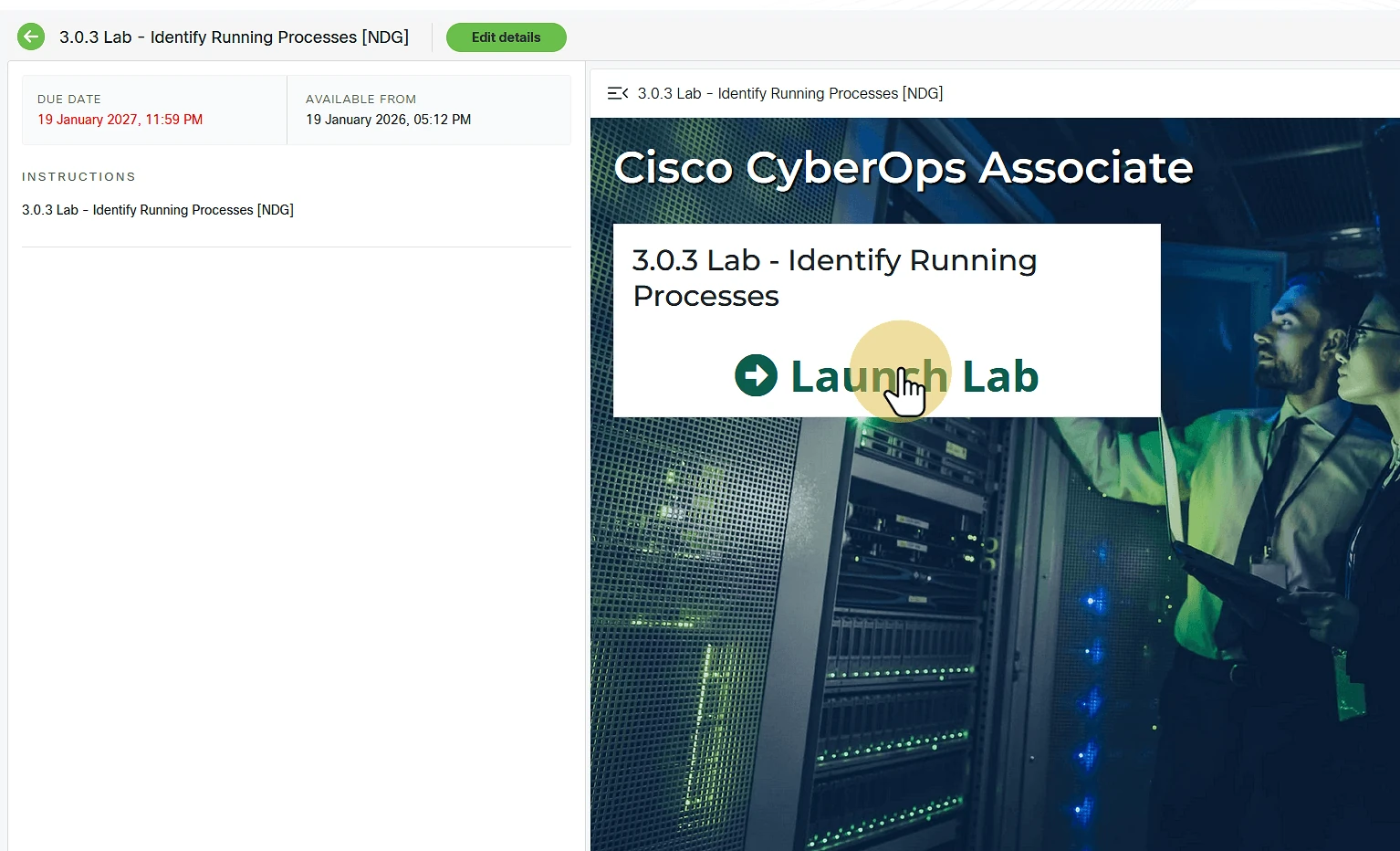
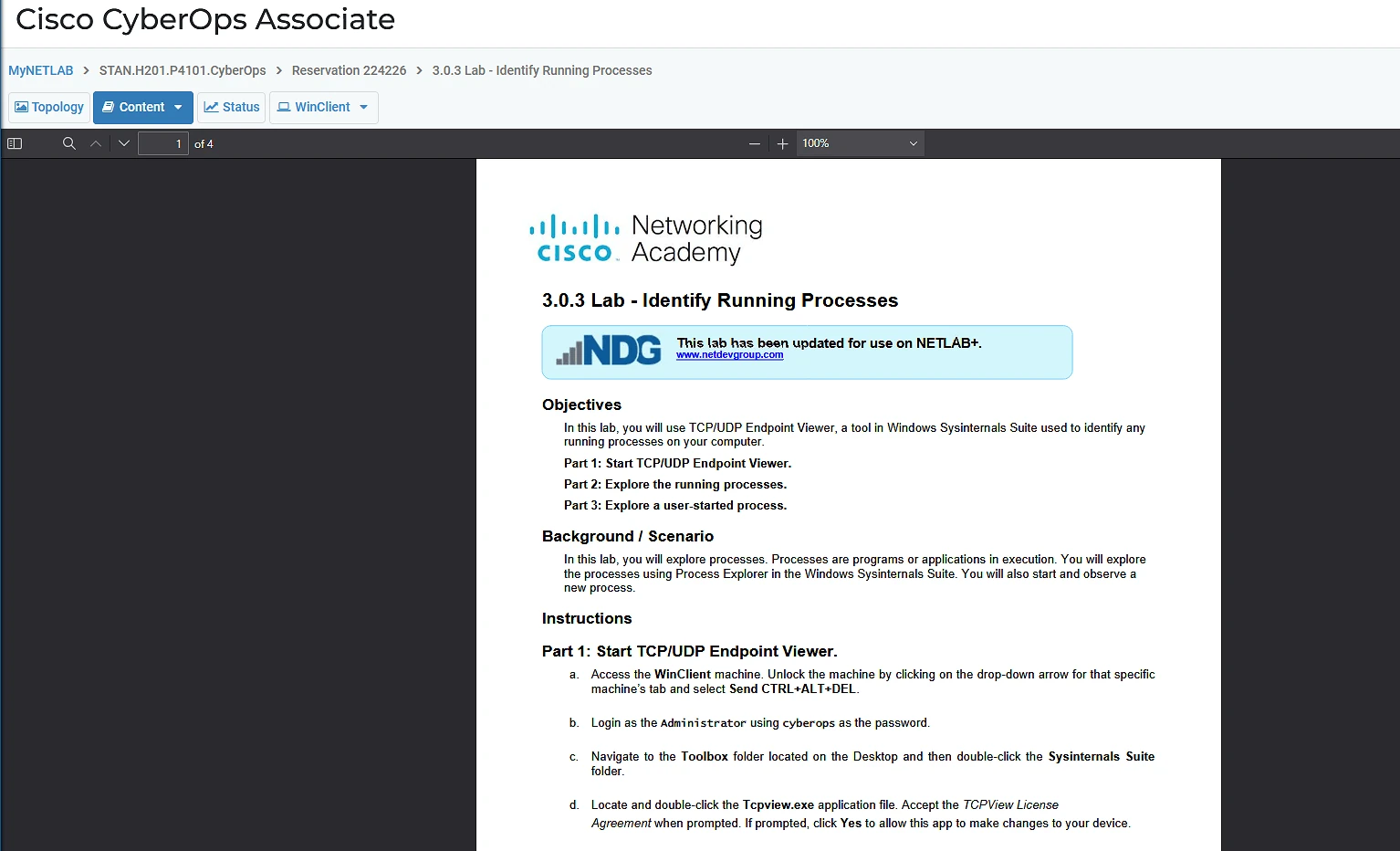
When you finish, close the lab window or tab to return to the Cisco Networking Academy.
For a tour of the lab screen, see Use the NDG Online lab interface.
Still need help?
In NDG Online, select Help to ask the Help assistant or open a ticket. Taking labs in a class? Ask your instructor first.